

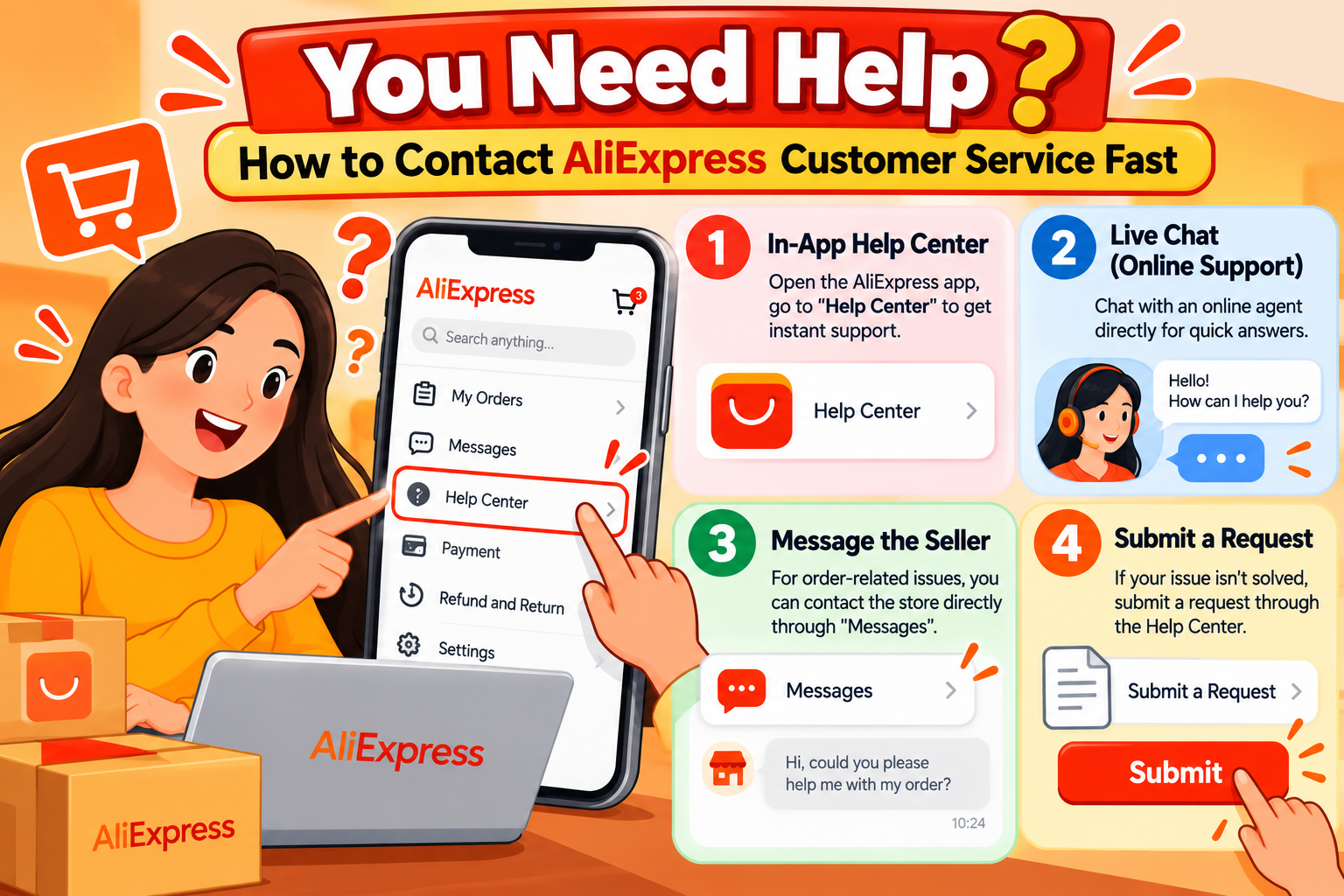
While shopping on AliExpress is usually straightforward, there might be times when you run into an issue that requires contacting customer service. But how do you reach a real person and avoid getting stuck with automated responses? Finding the right channel can be confusing, and waiting for a reply can be frustrating.
This guide is designed to help you navigate the process efficiently. We will show you the fastest and most effective ways to contact AliExpress support, from using the live chat to leveraging social media. Follow these steps to get the help you need without wasting valuable time.
Method 1: The Customer Service Chat (Fastest Method)
The official chat is the primary and often quickest way to get support. While you start with a chatbot named Eva, you can get through to a human agent with the right approach.
How to Access the Chat
From the AliExpress Website:
- Log in to your AliExpress account.
- Go to “Account” in the top-right corner, then select “Customer Service“ from the menu.
- On the Help Center page, scroll to the bottom and click on “Chat Now“ under the “Online Service” section.
- Alternatively, a “Need help?” chat window with the Eva chatbot may appear at the bottom right of your screen.
From the AliExpress App
- Open the app and go to “My Account” (bottom right).
- Scroll down and tap on “Help Center.”
- Tap “Chatbot Eva” at the bottom to start the conversation.
Tips for Bypassing the Chatbot
The chatbot, Eva, is designed to answer frequently asked questions. To speak with a human agent, you need to prove your issue is too complex for the bot.
- Be Clear and Specific: Instead of a simple “problem with order,” type a full sentence like, “My package tracking has not updated in 15 days.”
- Use Key Phrases: If the bot doesn’t understand, repeatedly type phrases like “speak to an agent,” “live agent,” or “contact human.” Eventually, the system should recognize your request and offer to connect you with a person.
| Pros | Cons |
| Fastest way to connect with a live agent. | Requires getting past the initial chatbot. |
| Real-time conversation for immediate follow-up questions. | Wait times for an agent can vary during peak hours. |
Method 2: Request a Phone Call (Limited Availability)
In some countries, AliExpress offers a callback service. You cannot call them directly, but you can request that an operator call you regarding a specific order.
How to Request a Callback
This option typically becomes available after you have gone through the chatbot and your issue remains unresolved.
- Follow the chat steps above and select the order you have a problem with.
- If the chatbot cannot resolve your issue, it may present an option to request a phone call.
- If this option appears, select it and confirm the time frame for the callback. The operator will already have your order details when they call.
| Pros | Cons |
| Allows you to speak directly with a person. | Only available in a few select countries and is not always offered. |
| Convenient if you prefer talking over typing. | You cannot choose the exact time of the call. |
Method 3: Contact via Email (Slower Method)
Email is an option for less urgent or highly detailed issues where you need to attach multiple documents. However, this is generally the slowest method.
- Email Address: AEbuyerservice@aliexpress.com
Tips for Writing an Effective Email
- Use a Clear Subject Line: Include your order number and a brief description of the problem (e.g., “Order #123456789 – Incorrect Item Received”).
- Be Concise: Clearly explain the issue, what you have done so far to resolve it, and what you want as a solution.
- Attach Evidence: Include screenshots, photos of the product, or any other evidence to support your claim.
- Be Patient: Responses can take several days. Avoid sending multiple emails about the same issue, as this can clog their system and cause further delays.
| Pros | Cons |
| Good for documenting your issue in writing. | Very slow response times. |
| Allows you to attach files and detailed evidence. | Less effective for urgent problems. |
Method 4: Use Social Media (For Public Issues)
Contacting AliExpress through their official social media channels can sometimes yield a faster response, especially if your query is public.
- Best Platforms: Twitter and Facebook Messenger tend to be the most responsive.
- How to Contact: Send a direct message (DM) or post publicly on their page. Public posts can sometimes get a quicker reply as brands are keen to manage their public image.
Tips for Social Media Contact
- Keep your message brief and to the point.
- Always include your order number in private messages.
- Remain polite and professional, even if you are frustrated.
| Pros | Cons |
| It can be faster than email for getting an initial response. | Not ideal for sharing sensitive personal information publicly. |
| Public visibility may encourage a quicker resolution. | Support may be limited to general advice before directing you to the official chat. |
Conclusion
When you need help from AliExpress, time is of the essence. For the fastest resolution, start with the official customer service chat and use our tips to bypass the chatbot and reach a live agent. If your problem is less urgent or requires detailed documentation, email is a viable, albeit slower, alternative.
By choosing the right channel and communicating your issue clearly, you can significantly improve your chances of getting a quick and satisfactory solution from AliExpress support.

Leave a Reply